
A File Name Is More Than Just a Label
Many people consider a file name to be something temporary. They create a document, type a few words into the save window, and move on. The problem is that the file often stays on the computer for months or even years. What made perfect sense while writing the assignment may become meaningless later. A useful file name acts like a brief description. Instead of making you open the document, it tells you exactly what the file contains before you click it. That small detail becomes valuable when hundreds of files accumulate across different courses and semesters. Imagine looking through a folder filled with these names:
- Assignment
- Assignment New
- Assignment Final
- Assignment Final
Now compare them with:
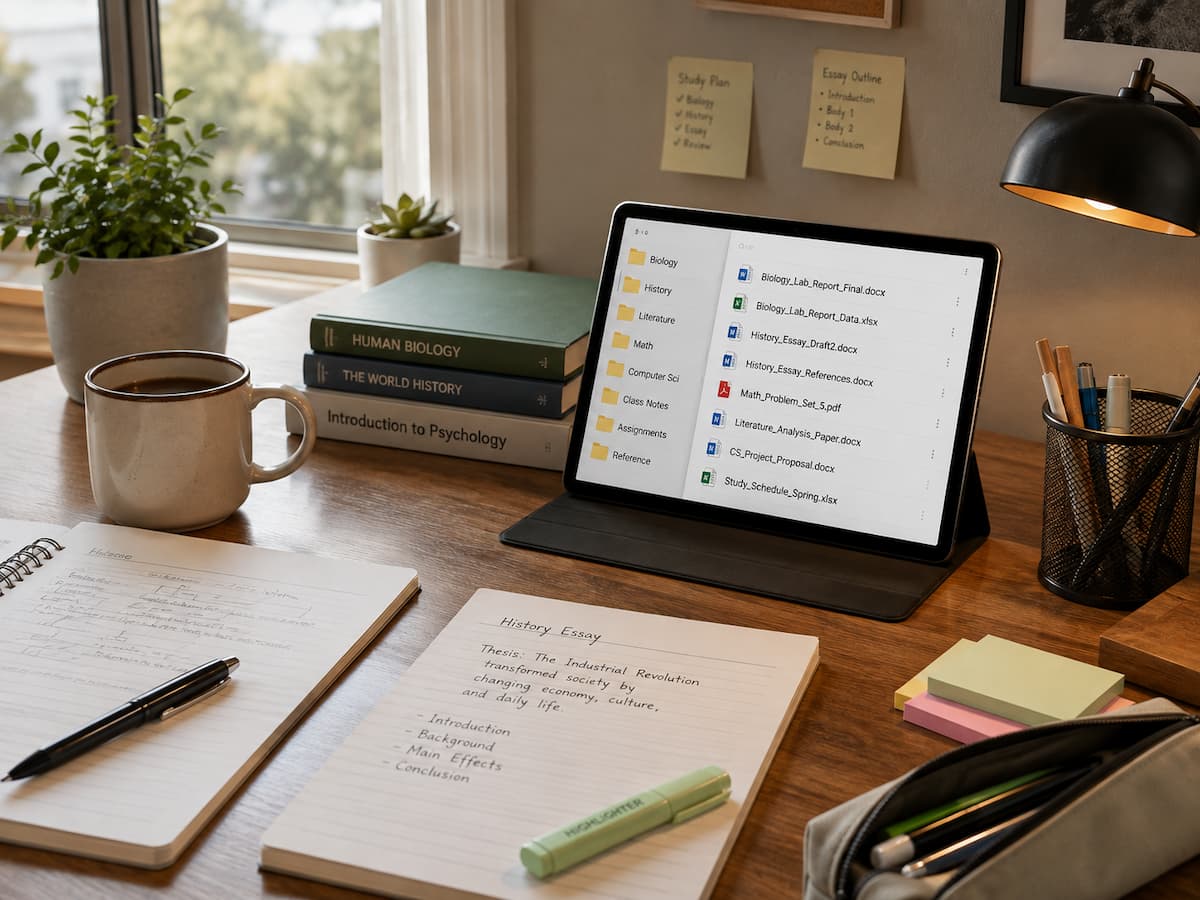
- History_Essay_Industrial_Revolution_Draft.docx
- History_Essay_Industrial_Revolution_Final.docx
- History_Research_References.pdf
The second group immediately provides context. Even months later, there is little doubt about which file should be opened.
Small Naming Habits Prevent Big Organization Problems
Digital clutter builds slowly. Every downloaded lecture slide, scanned worksheet, PDF article, image, and spreadsheet adds another item to a growing collection of files. During the first few weeks of a semester, finding documents feels straightforward because there are only a handful of them. By the end of the term, locating a specific assignment becomes much harder. Consistent naming slows that clutter before it becomes overwhelming. Students who include the course name, assignment topic, and document status in every file create an organization system that works almost automatically.
For example, instead of saving files as “Homework” every week, naming them “Chemistry_Week04_Homework” and “Chemistry_Week05_Homework” instantly creates an ordered sequence. When sorted alphabetically, the files naturally appear in chronological order. This approach also makes search functions much more effective. Typing “Week05” or “Chemistry” into the operating system’s search bar quickly filters the correct documents without opening multiple folders.
Good File Names Reduce Costly Mistakes
One of the biggest risks of poor naming is submitting the wrong document. It happens more often than many students realize. A draft may accidentally be uploaded instead of the finished assignment simply because the files look nearly identical. Adding a clear version indicator removes much of this uncertainty. Words like “Draft,” “Revision,” and “Final” should be used thoughtfully, and they are even more useful when paired with dates or version numbers.
| Poor File Name | Improved File Name |
|---|---|
| Essay Final | English_Essay_Shakespeare_Final_2026-03-14.docx |
| Presentation | Marketing_Group_Presentation_V2.pptx |
| Notes | Biology_Cell_Structure_Lecture_Notes.pdf |
| Research | Psychology_Sleep_Research_Sources.pdf |
Including dates in the YYYY-MM-DD format keeps files sorted correctly regardless of the operating system. It also provides a simple record of progress over time.
Clear File Names Make Group Projects Less Confusing
Collaborative assignments introduce another challenge. Multiple students may edit the same document, often sharing it through cloud storage or email. Without a naming convention, confusion appears quickly. Imagine four students saving a presentation as “Final Presentation.” Soon there are several different files carrying exactly the same name but containing different edits. Nobody knows which one reflects the latest work.
A shared format solves much of this problem. Something like “Business_Project_Presentation_V03” tells every team member which version they are viewing. If the group also includes editing dates when appropriate, tracking progress becomes even easier. Cloud storage services often save version history automatically, but meaningful file names still help people recognize the correct project immediately without opening multiple folders. A few extra seconds spent choosing a descriptive file name can save several minutes of searching later, especially during busy exam periods.
Simple Naming Rules That Work for Almost Every Student
The goal is consistency rather than perfection. A naming system only works if it is easy enough to follow every day. Most students benefit from choosing one simple pattern and using it across every subject. Useful file names usually include several pieces of information in a predictable order:
- Course or subject
- Assignment or project name
- Topic when relevant
- Version or status
- Date if multiple revisions are expected
It also helps to avoid special characters that may cause compatibility problems between different operating systems. Using letters, numbers, underscores, and hyphens keeps names readable while remaining widely supported. Very long names can become difficult to read, but names that are too short lose valuable information. Finding a balance is usually better than trying to include every possible detail.
How Better File Names Support Long-Term Learning
Students often revisit old assignments while preparing for exams, building portfolios, applying for internships, or continuing research in later courses. Organized files make that process much easier. A well-named document from the first semester may become a useful reference years later. Instead of spending time guessing which paper discussed a particular topic, the answer appears immediately in the folder listing.
This habit also encourages better digital organization overall. Once file names become consistent, creating logical folders, backing up important work, and synchronizing cloud storage become more effective because everything follows a recognizable structure. The benefit extends beyond education. Many workplaces expect employees to manage digital documents professionally. Learning these habits during school prepares students for office environments where poorly named files can slow projects or confuse colleagues.
Building the Habit Without Thinking About It
Changing file naming habits does not require reorganizing every existing document overnight. A more practical approach is to begin with every new file created from today onward. Within a few weeks, the new system starts replacing the old one naturally. Templates can also help. If every laboratory report begins with the same structure, students only need to replace the experiment name or date instead of inventing a new naming style each time.
Occasionally reviewing the Downloads folder is another worthwhile habit. Many downloaded files keep generic names provided by websites. Renaming them immediately after downloading makes future searches much easier. The important point is consistency. A simple system that you follow regularly is far more valuable than a complex system that you abandon after a few days.
Conclusion
Choosing better file names may seem like a tiny detail compared with writing essays or preparing for exams, yet it quietly influences nearly every digital task students perform. Clear names reduce confusion, make searches faster, lower the risk of submitting the wrong document, and create an organized collection of work that remains useful long after a course has ended.
The best part is that this improvement costs nothing. It does not require new software, advanced technical knowledge, or hours of setup. It simply begins with taking a few extra seconds before clicking the Save button. Those small decisions add up, making everyday schoolwork noticeably easier over time.
FAQs
1. Should filenames contain spaces or underscores?
On modern computers, both are usually acceptable, but underscores or hyphens often improve compatibility between different systems and make filenames easier to read in shared environments.
2. Is it worth renaming downloaded PDF files?
Yes. Many downloaded filenames are vague and provide little information. By renaming them immediately, you can significantly speed up future searches, especially when gathering research material.
3. How long should filenames be?
Filenames should contain enough information to clearly identify the document but not be too long. The most useful filenames are descriptive and easy to search quickly.
4. Should I include the date in every file?
Not necessarily. Dates are especially useful for documents that have been revised multiple times or where the chronological order is crucial (such as research notes or assignment drafts).
5. Can folders replace effective filenames?
No. Folders provide a way to organize files, but descriptive file names remain important because files are often searched directly, shared individually, or moved to different locations.
References
- National Institute of Standards and Technology (NIST) – https://www.nist.gov/
- Library of Congress – Digital Preservation: https://www.loc.gov/preservation/
- The National Archives (UK) – Guidance on Managing Digital Records: https://www.nationalarchives.gov.uk/
- Massachusetts Institute of Technology Libraries – Research Data Management Resources: https://libraries.mit.edu/